
Duplicates And Repeat Groups
Many DNA structures repeat: tile tubes, stacked units, origami that assembles with identical copies of itself. Foldnano offers two ways to repeat routing in the strand viewer:
| Action | Shortcut | Toolbar button | Result |
|---|---|---|---|
| Duplicate | Ctrl/Cmd + D | Duplicate selected oligos (Edit group) | Independent copies you can edit freely |
| Duplicate as linked mirror copies | Ctrl/Cmd + Shift + D | Duplicate as linked mirror copies (Edit group) | Mirror copies that always follow their originals |
Both use the same placement flow, described below. Both buttons are enabled only in the Select tool with something selected.
Placing A Copy
- In the Select tool (
v), select whole oligos, meaning every strand of each oligo. Clicking an oligo with the Oligo filter on is the quickest way (see Selection). - Press
Ctrl/Cmd + D(orCtrl/Cmd + Shift + Dfor mirrors). A translucent preview of the copy appears at the first free position to the right, on the same helices. - Move the pointer onto the copy to grab it; it then follows the pointer until you move off its helices.
- Click or press
Enterto place it.Escapecancels.
While placing:
| Input | Effect |
|---|---|
| Move the pointer | Moves the copy in steps of the region's helical repeat (21 bp for honeycomb and freeform, 32 bp for square), so crossovers stay on valid sites and the copy keeps its twist |
Hold Shift | Free 1 bp steps |
← / → | Jump to the previous / next valid position |
Click / Enter | Place the copy |
Escape | Cancel |
The preview turns red, with the reason shown, wherever the copy would overlap another strand, put a crossover on an invalid site, or leave a skip/insertion without a matching complementary strand. A red preview can't be placed.
Tip
The new copies stay selected after placement, so pressing Ctrl/Cmd + D again places the next repeat. If a copy runs past the end of the region, the region is extended automatically.
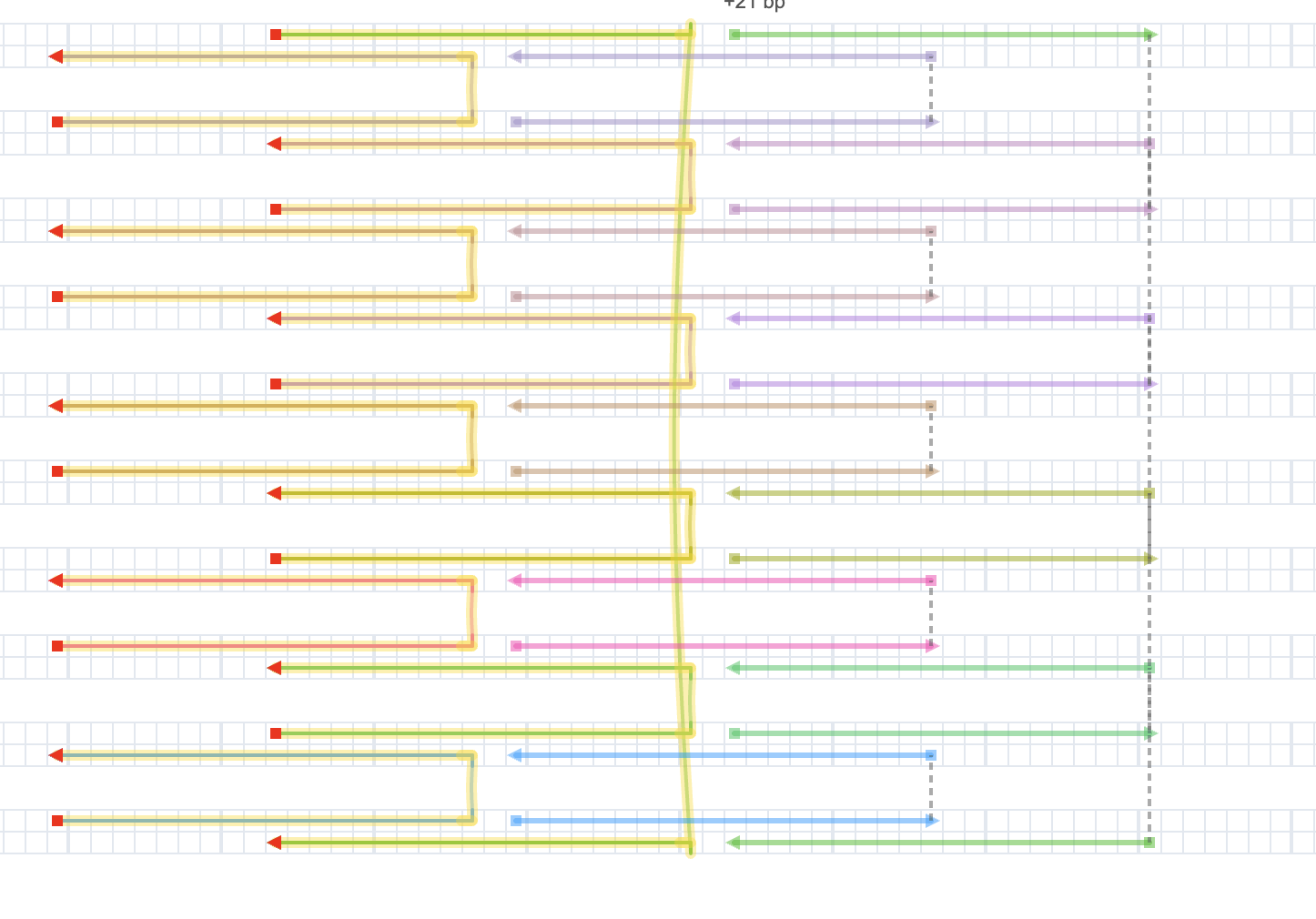
A valid placement: the translucent copy follows the pointer in steps of the helical repeat.
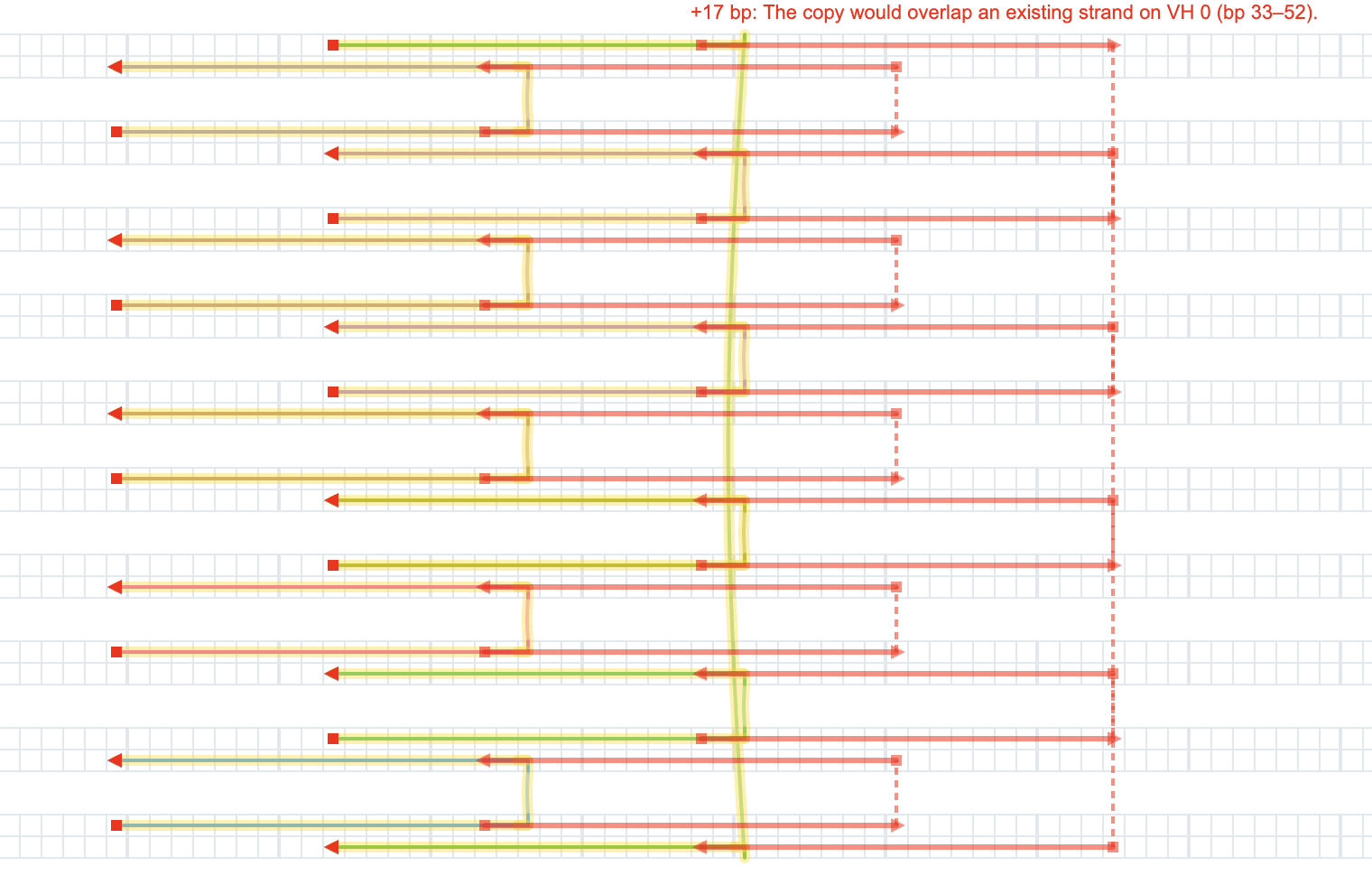
An invalid placement turns red and says why; it can't be placed.
Plain Duplicates
A plain duplicate creates ordinary, independent oligos with the same color, sequence, skips/insertions, and modifications as the originals. After placement there is no link between them; editing one never affects the other.
Mirror Copies
Linked copies become mirrors of the selected oligos, which are now called the originals. Together they form a repeat group.
- Mirrors follow their original. A mirror always equals its original shifted by the copy's offset. Edit the original (move ends, break, add crossovers, skips, sequence) and every mirror follows in the same undo step.
- Edits that would break a mirror are refused. If an edit would make a mirror overlap something, or put its crossover or skip somewhere invalid, the edit is refused with a message naming the copy (for example
Copy 2 of Repeat 1: …). - Mirrors can't be edited directly. Clicking a mirror selects its original instead. Drawing onto a mirror, joining to it, painting it, or deleting it on its own is refused with "Mirror oligos can't be edited. Edit the original instead."
- Sequence flows one way. A sequence written onto a mirror from its partner strand is reverted, and the original's sequence never changes because of a mirror. Any disagreement shows up as a sequence mismatch warning.
Mirrors can only be made from original oligos, never from other mirrors, and a selection that already belongs to a repeat group can only be extended through that group (see below).
How mirrors look and export
- Mirrors are drawn faded in the strand view and in its SVG export, and translucent in 3D.
- Staple lists, the sequence CSV, the Oligo Report, and cadnano export include only real oligos.
- The 3D Export menu has an Include mirror copies option for oxDNA and mrDNA, so you can simulate the assembled structure. Rigid-body simulation always includes mirrors.
The Repeat Groups Panel
When the design has at least one repeat group, the Select tool panel shows a Repeat groups section. Each group lists its name, the number of originals, and one chip per copy with its offset (for example Copy 1: +42 bp).
| Control | Effect |
|---|---|
| ✕ on a copy chip | Remove that one copy (removing the last copy dissolves the group) |
| Select originals | Select all of the group's originals in the strand viewer |
| Add copy | Start placing another linked copy of this group (Select tool only) |
| Detach | Keep the copies as independent, normal oligos and dissolve the group |
| Delete | Remove all copies; the originals stay as normal oligos |
You can also add a copy by selecting exactly the group's originals and pressing Ctrl/Cmd + Shift + D. A group can't have two copies at the same offset.
All of these actions are undoable.
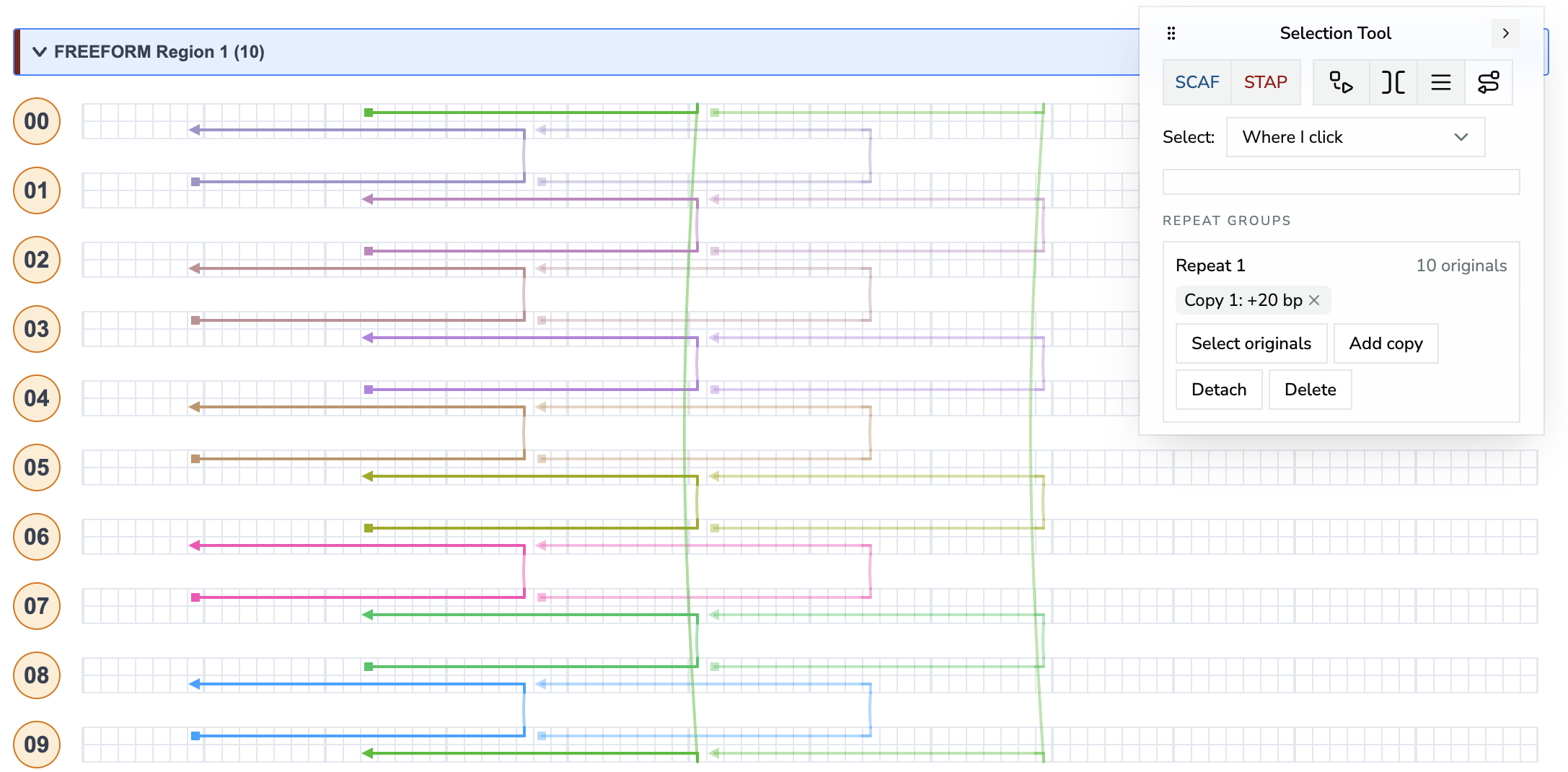
The Repeat groups section of the Select tool panel, next to a design with one linked copy.